Your gym training log.
Backed by the science.
Log your sets in the gym training log that actually counts them. Keep track of your training volume per muscle per week, and measure your progression without doing the maths yourself.
It is not in the stores yet. Leave your email and we will tell you the day it lands: one email, and you can unsubscribe in a click.

Pre-order it and it installs itself on launch day.

Free to start. iPhone and Android.
Measure your progressive overload
GymSets is the gym training log built to measure your progressive overload and work out your training volume for hypertrophy. Unlike loose notes on your phone, it logs each set in under two taps and works with no internet connection.
Log it, count it and tune it — all inside the same app.
Smart logging: no friction at the gym
Log your effective sets in under two taps
GymSets is not just another gym training log. It is built to turn physical effort into data you can measure, taking the guesswork out of every lift.
Progressive overload without keeping count in your head
What you lifted last time, already filled in
Open an exercise and last time’s weight and reps are there in grey, with your personal records next to them. Going up stops being a feeling and becomes a number you can look at.
Training volume and hypertrophy, tuned
Effective volume versus junk volume, at a glance
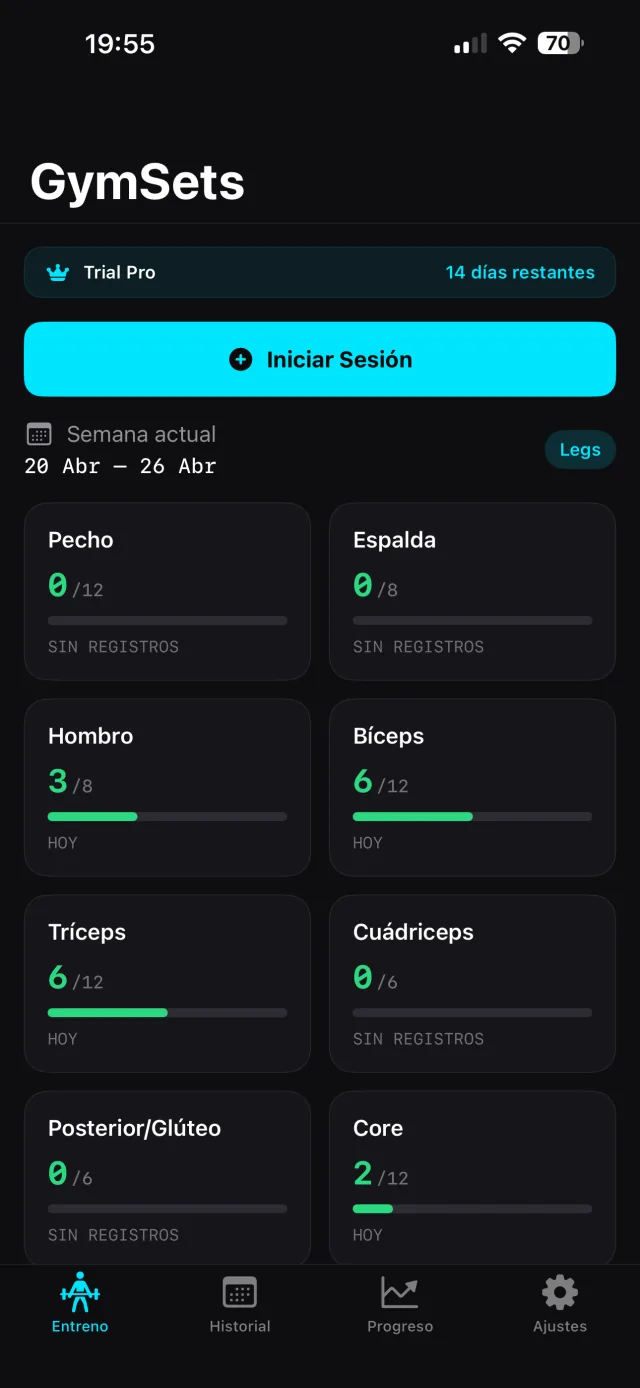
Your home screen compares your weekly sets per muscle against your target, so you can see at a glance whether your training volume is actually moving the needle.
Turn your progress into something you can work with
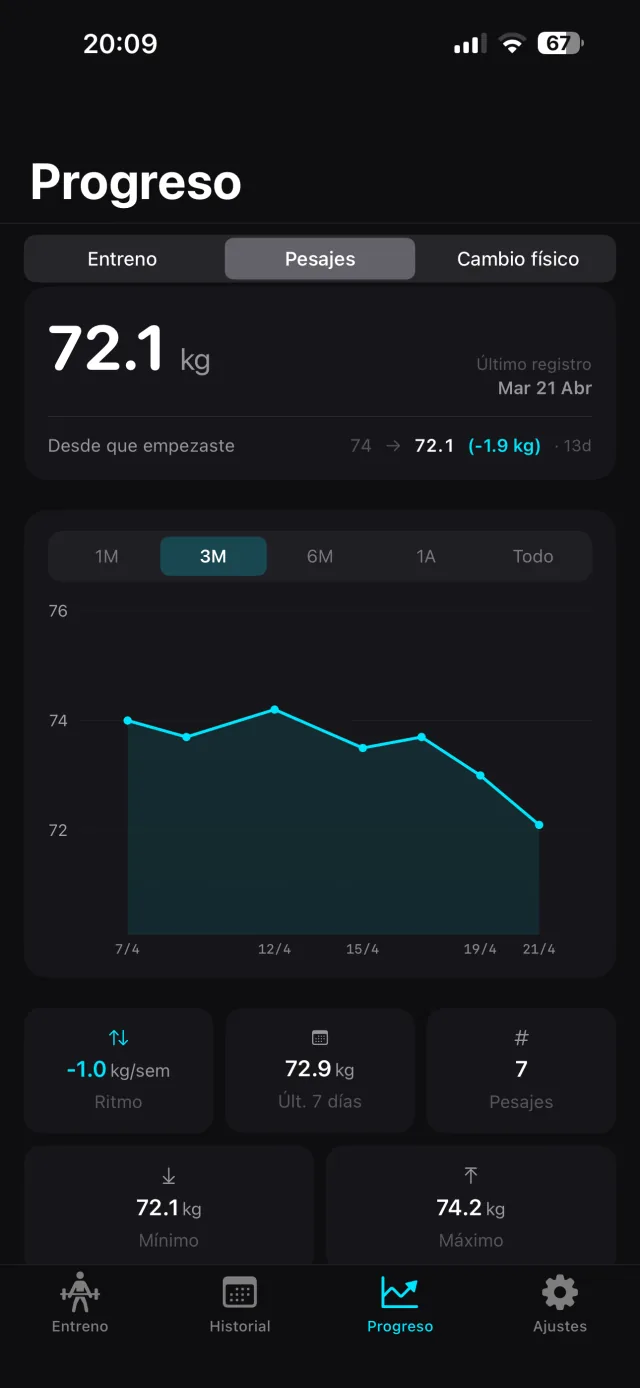
Every session, your split and your body weight.
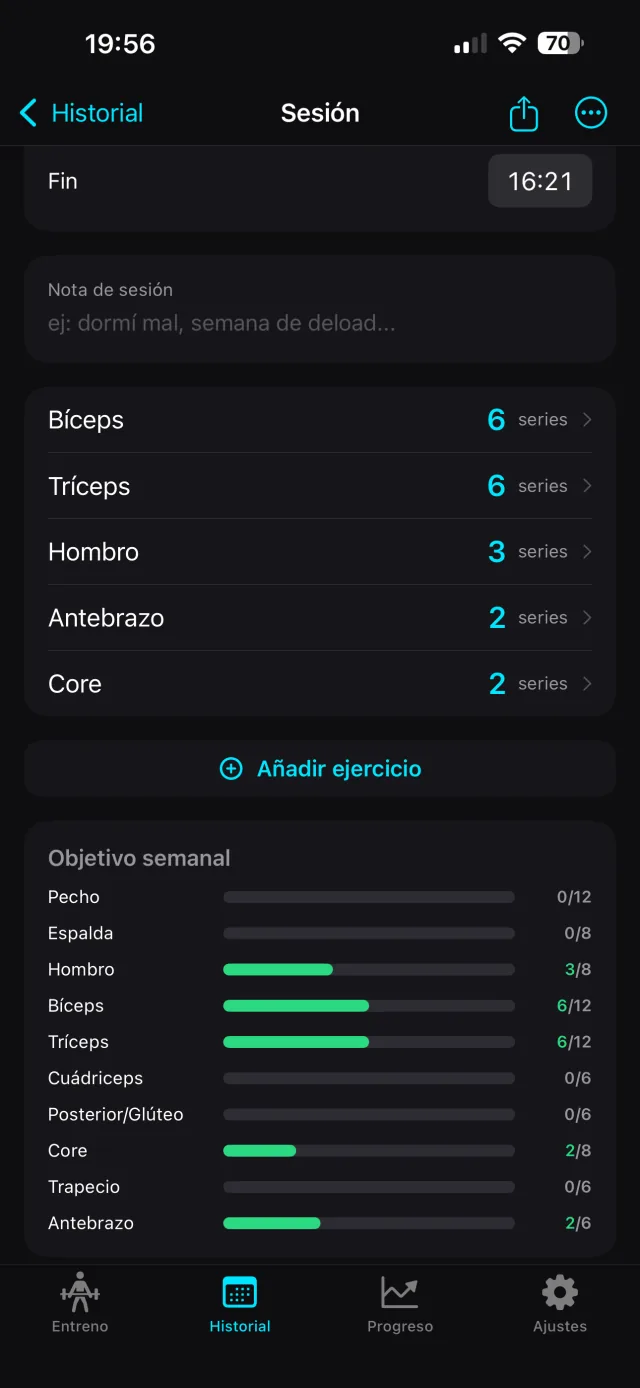
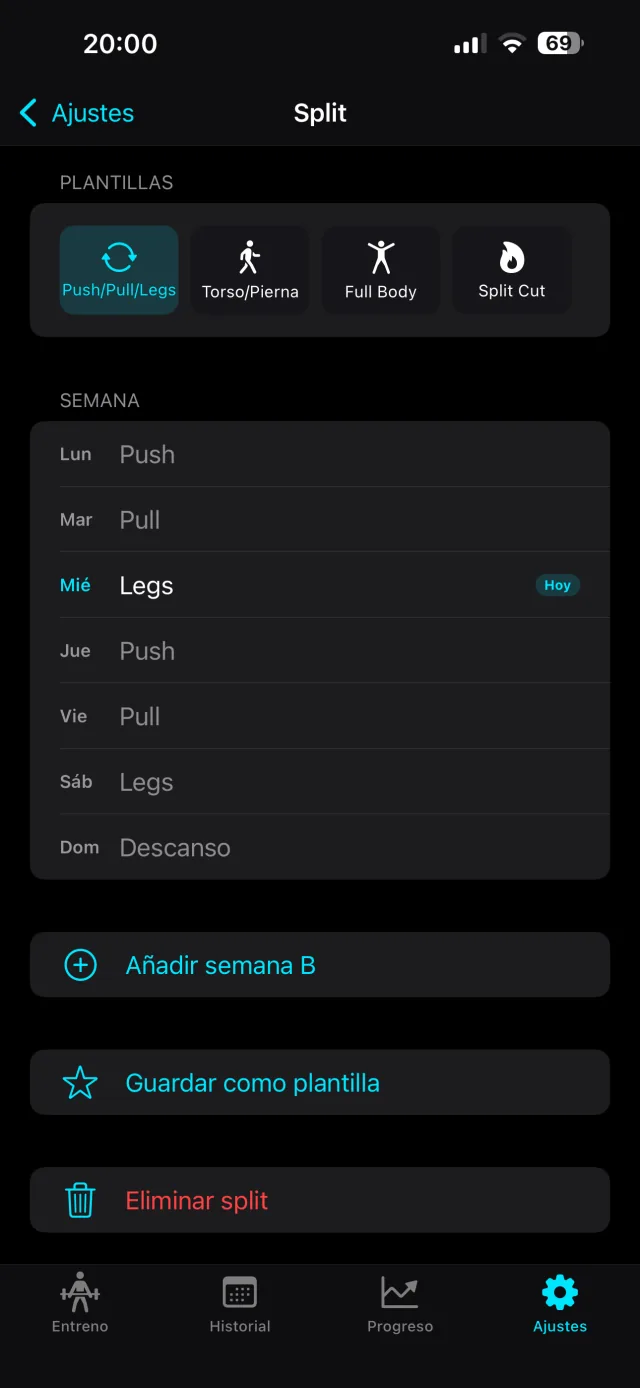
Open any past session set by set, build the week you want to train, and keep your body weight in the same app.
How to take the friction out of your training
Predictive keypads and a rest timer
Weight and reps in two taps, with last time’s already filled in. The rest timer starts on its own when you save the set — no friction between sets.
Compare your weekly volume with your target, not with your memory
You see your weekly sets per muscle group against the target the evidence points to — with no maths to do yourself.
Share your personal records
Personal records and a photo timelapse ready for your stories, with your stats as a watermark.
One number decides how much muscle you build.
Almost no app measures it.
A decade of meta-analyses points the same way: of everything you control when you train, weekly effective sets per muscle is what moves hypertrophy most. Every extra set adds something, though a little less each time. Pelland 2026, Schoenfeld 2017.
Get the three free readsThis is what the GymSets app does
No useless metrics and no gamification noise. Only the tools that move your training forward.
Logging sets
Weight, reps and a note if you need one. Last set’s numbers are already filled in, greyed out: repeating is one tap. Supersets and drop sets included.
Photos and timelapse
One photo per session, from the workout summary. With a few of them you get a vertical video at the pace you choose, with your data on top: days, weight change, sets, records.
Personal records
Per exercise: heaviest weight, highest-volume set and most reps. For cardio, distance and best pace. Detected automatically when you close the session.
Rest timer
Starts on its own when you save the set. 90 seconds by default, or whatever you set. On iPhone you pause it or add 30 seconds from the Dynamic Island, without opening the app.
History and volume
A calendar by month and by year, with every session editable. Sets per muscle group this week against your target, and your streak of consecutive weeks.
Sharing
The session comes out as a vertical image with up to four stats: duration, sets, volume and records. Five templates. To your camera roll, to the clipboard as a sticker, or straight to the share sheet.
Frequently asked questions
How many sets per muscle per week should you do?
The evidence puts the practical benchmark at around 10 effective sets per muscle per week, with a productive range of 12 to 20 where most of the growth happens. GymSets does not fix that number for you: you set your own target per muscle group and the app shows the sets you have done this week against it.
Does GymSets work without an internet connection?
Yes. Your sets, reps and rests are saved on the device and sync to the cloud as soon as you get signal back — built for gyms with bad reception.
How does the rest timer work?
It starts on its own when you save the set, with 90 seconds by default or whatever you choose. On iPhone you control it from the Dynamic Island: pause it or add 30 seconds without opening the app.
The science behind
the app.
Three short emails. No filler and nothing to sell you.